Most people pick a redirect type by accident. Their plugin defaults to one, they never look, and it works — until the day a page they moved never recovers its rankings and nobody can explain why.
The difference between a 301 and a 302 is one word: permanent versus temporary. What that word changes is worth understanding, because it takes thirty seconds to get right and months to recover from getting wrong.
The short version
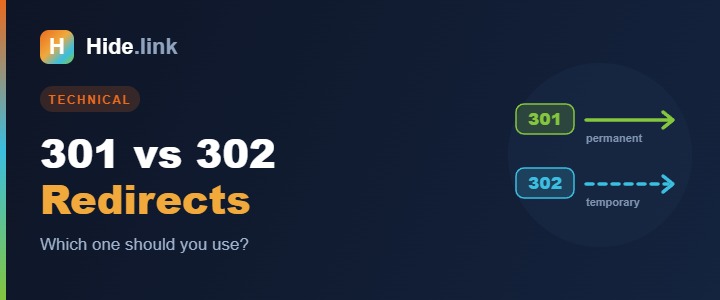
- 301 = Moved Permanently. "This page has moved for good. Update your records." Search engines transfer the ranking signals to the new URL and eventually drop the old one from the index.
- 302 = Found / Moved Temporarily. "This page is somewhere else for now, but check back." Search engines keep the original URL indexed and don't move the signals across.
That's genuinely the whole distinction. Everything else is consequences.
Why choosing wrong hurts
Say you rebuild your site and move /old-page to /new-page. Use a 301 and Google consolidates years of accumulated authority onto the new URL. Use a 302 and Google keeps indexing /old-page, waiting for it to come back, while /new-page starts from scratch.
You've split your own authority across two URLs and told Google to trust the one that no longer exists. This is one of the most common self-inflicted SEO injuries there is, and it usually goes unnoticed for months because the redirect works — visitors land on the right page. Only the rankings quietly fail to follow.
Google has gotten smarter about spotting long-lived 302s and treating them as permanent, but relying on that is a bad bet. Tell it what you mean.
When to use a 301
- You permanently moved or renamed a page
- You migrated to a new domain
- You moved from HTTP to HTTPS, or standardised on www / non-www
- You merged two pages into one
- You deleted a page and want its authority to land on the closest relevant replacement
Rule of thumb: if the old URL is never coming back, it's a 301.
When to use a 302
- A/B testing two versions of a page
- A seasonal campaign page you'll revert afterwards (the homepage pointing at a Black Friday page, say)
- A page temporarily down for maintenance
- Geo- or device-based routing where the original URL remains legitimate
Rule of thumb: if you expect to undo it, it's a 302.
What about short links?
A URL shortener is just a redirect with nice packaging, so the same rule applies. A short link should serve a 301, because you want the destination page to receive the credit for anything pointing at your short URL.
Good shorteners do this by default — Hide.link included. If you're evaluating one, it's a fair question to ask. And if you're worried that shortening links costs you rankings generally, we covered that in do short links hurt SEO? (short answer: no, but redirect chains do).
The mistakes that actually cost people
- Redirect chains. A → B → C → D. Every hop is latency and a small loss. Point A straight at D.
- Redirect loops. A → B → A. The page simply never loads. Usually a misconfigured www rule.
- Redirecting everything to the homepage. Deleting 200 pages and pointing them all at
/tells Google they're irrelevant — it treats them as soft 404s and you get nothing. Redirect each to its closest match, or let it 404 honestly.
- Removing redirects "after a while." Old links live forever. Keep them at least a year — ideally permanently.
- Never checking. Redirects break silently during migrations.
How to check what you're serving
You can't tell from the browser — both look identical to a visitor. Open your browser's DevTools, go to the Network tab, load the URL, and look at the status code on the first request. Or use any free redirect checker and paste the URL in. Either way it takes seconds, and it's the only way to know.
The bottom line
Permanent move? 301. Temporary detour? 302. Keep chains to one hop, and check what you're actually serving instead of trusting the default.
If you want short links that always use a clean 301 and report every click, try Hide.link free.
Related reading: Do short links hurt SEO? · How to shorten a URL