Long web addresses are awkward. They break in emails, look messy in a social post, get cut off in text messages, and are impossible to read aloud or print on a flyer. Shortening a URL fixes all of that — turning a long, cluttered link into a short, tidy one that's easy to share and, if you choose the right tool, easy to track.
This guide shows you exactly how to shorten a URL for free in a few seconds, and how to get more out of your short links than just a shorter address.
What does it mean to "shorten a URL"?
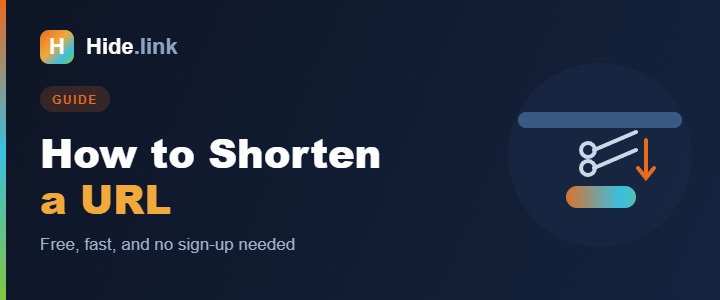
A URL shortener takes a long link like https://www.example.com/products/category/summer-sale-2026?ref=newsletter and gives you a short one like hide.link/summer. When someone clicks the short link, they're instantly redirected to the original page. They reach exactly the same destination — the link is just shorter and cleaner.
How to shorten a URL in 4 steps
Here's the fastest way to do it:
- Copy the long URL you want to share (from your browser's address bar).
- Open a URL shortener such as Hide.link.
- Paste the link into the box and click Shorten.
- Copy your new short link and share it anywhere — social media, email, a QR code, or a printed flyer.
That's it. The whole process takes about ten seconds and costs nothing.
Make your short link work harder
Any shortener can make a link shorter. A good one lets you do much more — and most of it is still free:
1. Customize the ending (custom alias)
Instead of a random string like hide.link/a9Xk2, set a memorable keyword: hide.link/summer-sale. Custom links look trustworthy and are easier to remember, which means more clicks.
2. Track your clicks
A shortener with analytics tells you how many people clicked, where they are, and what device they used. It turns a link into real marketing data — see our guide on a URL shortener with analytics for how that works.
3. Turn it into a QR code
Good shorteners generate a QR code for your link automatically — perfect for posters, packaging, business cards, and menus.
4. Protect it
You can add a password, set an expiry date, or limit the number of clicks for private or time-sensitive links.
Are shortened URLs safe?
A short link is as safe as its destination and the service hosting it. Reputable shorteners scan links for malware and phishing and use HTTPS. If you're ever unsure about a short link someone sent you, read Are short links safe? to learn how to check where it goes before you click.
Do you need an account to shorten a URL?
Not for a basic short link — but creating a free account unlocks the useful parts: custom aliases, click analytics, QR codes, link editing, and a dashboard to manage everything in one place. For anyone shortening more than the occasional link, it's worth it.
Frequently asked questions
Is shortening a URL free? Yes. Hide.link and most shorteners offer free link shortening, with paid plans for advanced features like custom domains and team access.
Can I change where a short link points later? With a dynamic shortener like Hide.link, yes — you can edit the destination without changing the short link itself. That's ideal for links already printed on materials.
Will the short link expire? Not unless you set it to. You control expiry.
Shorten your first link now
Shortening a URL is quick, free, and makes everything you share look cleaner and more professional — and with the right tool, you get branding, tracking, and QR codes on top. Create a free Hide.link account and shorten your first link in seconds.
Related reading: URL shortener with analytics · Are short links safe?