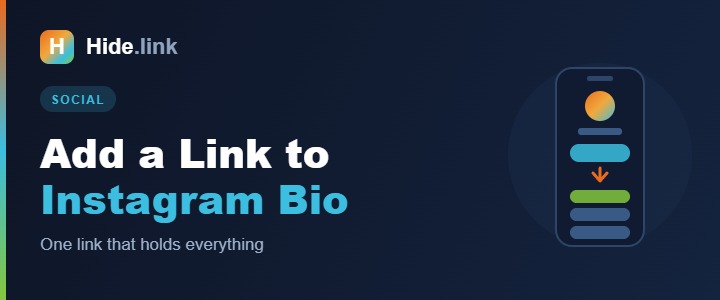
Instagram gives you exactly one clickable link on your profile. One. Meanwhile you have a shop, a new video, a newsletter, and a booking page — all of which need to be reachable from the same tiny field.
Here's how to add that link, how to get around the one-link limit properly, and how to find out whether anyone is actually clicking it.
Adding a link to your bio
- Open Instagram and go to your profile.
- Tap Edit profile.
- Tap the Links field.
- Tap Add external link, paste your URL, and optionally give it a title.
- Tap Done, then save.
Instagram now allows several links in that field on most accounts, but they display as a stacked list behind a tap — which is better than nothing, and still worse than a page you control.
The real problem with the one-link field
Even with multiple links allowed, you're stuck with Instagram's design, Instagram's ordering, and no data. You can't see which link people tapped. You can't add a photo, a description, or a promotion. You can't reuse the same setup on TikTok and X.
That's why almost every creator and business points that single field at a bio page instead.
Using a bio page (the standard solution)
A bio page is a small mobile-friendly landing page holding all your links as buttons. Your Instagram bio links to it, and it links to everything else. Change it any time without touching your profile.
- Create a free account on Hide.link.
- Create a bio page and pick your URL —
hide.link/yourname. - Add each destination as a button with a clear label.
- Add your photo or logo and set your colours.
- Copy the page URL into your Instagram bio using the steps above.
Now one link covers everything, and the same link works on TikTok, X, YouTube and in your email signature. More on the format in what is a link in bio?
Tracking clicks — the part most people skip
Instagram tells you nothing about link taps. If you use a short link or bio page with analytics, you'll see how many people clicked, from which country, and on what device.
That data answers questions you're probably guessing at right now: does your audience actually click through from Stories or from the profile? Do your Reels drive more traffic than your posts? Which offer gets tapped and which gets ignored?
Practical tips that make a difference
- Put the most important button first. The top button gets the majority of taps, by a wide margin.
- Tell people to tap it. "Link in bio 👆" in your caption genuinely increases clicks. Instagram won't do it for you.
- Keep it to five or six buttons. More choices means fewer decisions.
- Update it when you post. If your latest Reel points at something, that something should be the top button.
- Use a branded link.
yourbrand.link/shoplooks more trustworthy than a random string — see custom domains. - Check it on a phone. Your bio page will be opened on mobile essentially 100% of the time.
Common questions
Why won't Instagram accept my link?
Make sure it starts with https:// and has no typos. Instagram also blocks links to domains it has flagged for spam — another reason to use a shortener that scans destinations rather than a free-for-all one.
Can I add a link to a Story?
Yes — the link sticker is available to all accounts now, no follower minimum. Use a short branded link there too so you can track it separately from your bio link.
Do bio pages hurt my SEO?
No. Instagram links are nofollow anyway, so there's no ranking value to lose. See do short links hurt SEO?
Get it set up
One link that holds everything, works on every platform, and tells you who clicked — that's the whole job. Create your free bio page and paste it into Instagram in the next five minutes.
Related reading: What is a link in bio? · How short links boost your social reach