Two links. Same destination. Same offer.
xyz.link/9Kd2a — and — nike.to/airmax
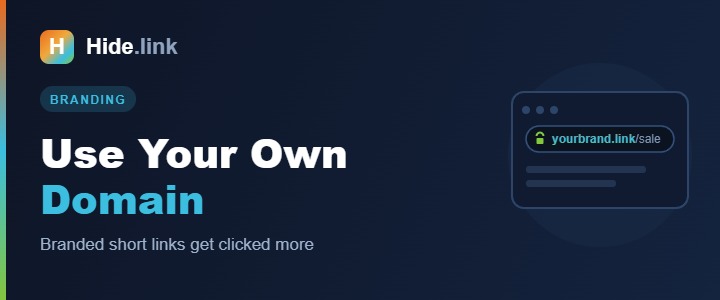
You already know which one you'd click. That gap is the entire argument for a custom domain, and it's why every serious brand that uses short links owns theirs.
What a custom short domain actually is
It's a domain you own, used as the front of your short links instead of the shortener's domain. You've seen them without thinking about it: t.co (X), amzn.to (Amazon), spoti.fi (Spotify). The link goes through your shortener's infrastructure, but it wears your name.
Why it's worth the effort
- People click it more. This is the whole point. A recognizable domain answers "where is this taking me?" before anyone has to ask. Generic shortener domains have been used by spammers for fifteen years, and audiences have learned to hesitate.
- It survives the trust problem. When a random shortener domain gets flagged because some stranger shortened malware on it, your links break. On your own domain, that can't happen to you by accident.
- It's free advertising. Every link is a small logo. People see your brand even when they don't click.
- Memorable slugs.
yourbrand.link/pricingcan be said out loud, printed on a card, or read off a slide.xyz.link/a8Kd2cannot.
Choosing the domain
The goal is short and obviously yours. A few approaches that work:
- A shorter TLD on your brand:
yourbrand.co,yourbrand.io,yourbrand.link
- An abbreviation: if you're "Northfield Coffee Roasters",
nfcr.coworks
- A domain hack: spelling your brand across the dot, like
spoti.fioramzn.to. Fun, but don't force it.
Practical advice: keep it under about 12 characters including the TLD, avoid hyphens (impossible to say out loud), and avoid numbers (nobody knows if it's "4" or "four"). If your main domain is already short, a subdomain like go.yourbrand.com or link.yourbrand.com costs nothing and works fine.
How to set it up
It's a DNS change and a settings entry. Roughly ten minutes, most of which is waiting.
- Buy the domain (or pick a subdomain you already control).
- Point it at your shortener. In your domain registrar's DNS settings, add the record your shortener specifies — usually an A record to their IP, or a CNAME for a subdomain.
- Add the domain in your shortener. In Hide.link that's the Domains section: add it, and the system verifies the DNS is pointing correctly.
- Wait for DNS to propagate. Usually minutes; occasionally a few hours. Don't panic in the first ten minutes.
- Check HTTPS. Your shortener should issue an SSL certificate automatically. A short domain without HTTPS defeats the trust you're buying.
- Set it as your default so new links use it without you thinking about it.
Mistakes worth avoiding
- Buying a weird TLD to get a cute name. Some TLDs carry a spam reputation. Recognizable beats clever.
- Letting it expire. Every link you've ever shared dies at once — printed material included. Turn on auto-renew. Seriously.
- Using it for internal site navigation. Short links are for distribution, not for linking your own pages together. (More on that in do short links hurt SEO?)
- Skipping the redirect on the root. Someone will type your short domain on its own. Point the bare domain at your main website rather than an error page.
Is it worth paying for?
If you send links to customers, yes — the domain costs about the price of a coffee per month, and the click-through improvement usually pays for it immediately. If you're shortening the occasional link for a group chat, a generic short link is fine and you don't need this.
The line is simple: the moment your links represent your business rather than just you, put your name on them.
Hide.link supports custom domains with automatic SSL and unlimited branded links. See the plans or create a free account to try it first.
Related reading: Do short links hurt SEO? · URL shortener with analytics